Mute all apps on Mac
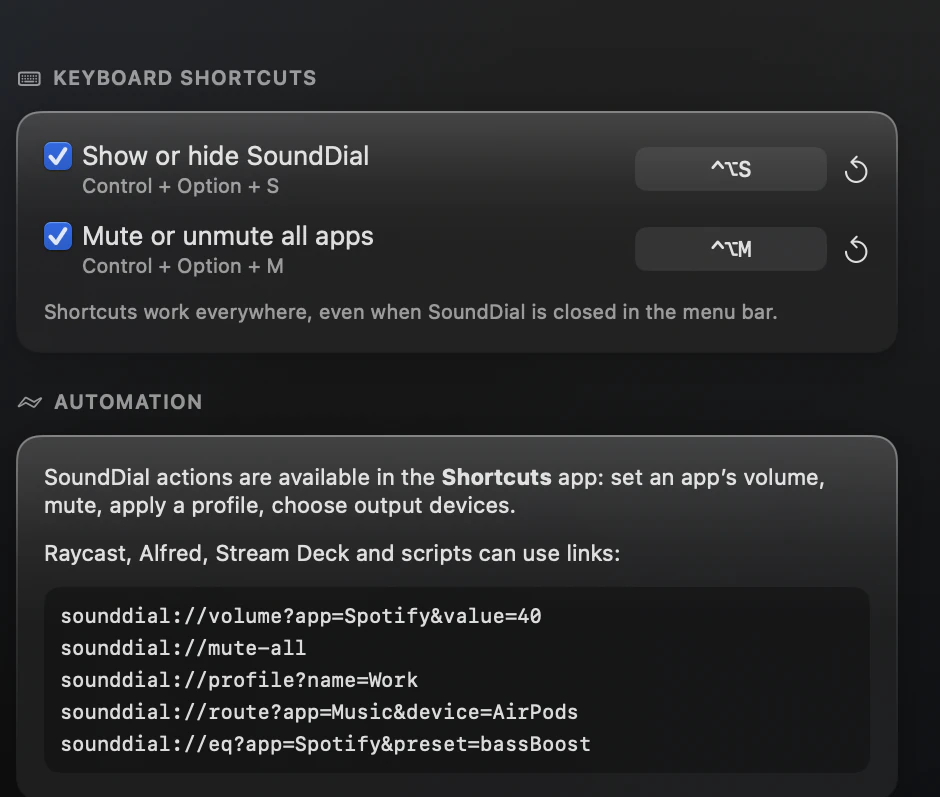
To mute all apps on Mac with one key press, SoundDial adds a global shortcut, Control-Option-M, that mutes every app in its list and unmutes them again.
The mute key on a Mac keyboard silences the output device. That is quick, but it is all or nothing: you cannot let one app keep playing, and the next notification sound stays silent too until you unmute.
What macOS gives you
The mute key, the Sound module in Control Center and System Settings > Sound all mute the output device. Focus modes silence notifications from chosen apps, but they do not mute an app that is already playing. There is no built-in way to mute the apps themselves and leave the device alone.
Mute all apps with SoundDial
- Press Control-Option-M in any app; the SoundDial window does not need to be open
- Every app in SoundDial's main list is muted, and each row shows “Muted”
- Press Control-Option-M again to unmute them all
The shortcut is a global hotkey and needs no Accessibility permission. If some apps are muted and some are not, the first press mutes the rest; the next press unmutes every app in the list, including one you had muted before. Because each app is muted on its own, you can also bring back a single app from its row while the others stay quiet.
Change or turn off the shortcut
In Settings > Shortcuts you can record different keys, reset a hotkey to its default or switch it off. SoundDial warns you when a combination is already in use by another app or SoundDial action. The second hotkey, Control-Option-S, shows or hides SoundDial.
Mute all from Shortcuts and scripts
The Shortcuts app has a Mute All Apps action that runs without opening a window, so you can put it in any shortcut. The link sounddial://mute-all does the same from a script or a launcher that opens URLs.
Mute one app instead
Often you only want one app gone: a chat app, an auto-playing video, a game. Every row in SoundDial has its own mute button, and the rest keeps playing at its own level.
Read more on this
FAQ
Does Control-Option-M mute the system volume?
No. It mutes the apps in SoundDial's list, one by one. The output device and its volume stay as they are.
Does mute-all need the Accessibility permission?
No. SoundDial's global hotkeys work without it.
Can I pick a different key combination?
Yes. Record your own keys in Settings > Shortcuts, reset them to the default, or turn the hotkey off.
SoundDial: a volume slider and mute button for every app.
€14.99 one-time purchase · macOS 14.2+ · no subscription