SoundDial press kit
Texts, facts and real screenshots for writing about SoundDial. Everything here may be used as is. For questions, write to support@eduardbruch.com.
One-sentence definition
SoundDial is a volume mixer for Mac that sits in the menu bar and sets the volume, equalizer, balance and output device of each app separately.
Descriptions
Short (about 50 words)
SoundDial is a volume mixer for Mac in the menu bar. It gives each app its own volume from 0 to 200%, a mute button, a 10-band equalizer, left-right balance and output device, and it can lower other apps during calls. It needs macOS 14.2 or later and is a €14.99 one-time purchase on the Mac App Store.
Long (about 150 words)
SoundDial is a volume mixer for Mac that lives in the menu bar. Every app that plays sound gets its own row with a volume slider from 0 to 200% and a mute button. Each app can also have its own 10-band equalizer with 11 presets, its own left-right balance and, with Play Through, its own output device.
During calls in Zoom, Microsoft Teams, FaceTime, Discord and other call apps, SoundDial can lower the other playing apps and restore them when the call ends. Volume profiles save a whole mix to apply later, and SoundDial can remember each app's settings for the next time it opens. Global hotkeys, Shortcuts app actions and sounddial:// links let people automate it.
A guided setup turns on audio access and tests it. SoundDial needs macOS 14.2 or later and is a €14.99 one-time purchase on the Mac App Store, with no subscription and no in-app purchases.
Key facts
| Name | SoundDial |
|---|---|
| Developer | Eduard Bruch |
| Version | 2.0 |
| Platform | macOS 14.2 or later (menu-bar app) |
| Price | €14.99 one-time purchase on the German storefront; prices on other storefronts differ |
| Purchase | One-time purchase. No subscription, no in-app purchases. |
| Mac App Store | SoundDial on the Mac App Store |
| Website | sounddial.eu |
| Support | support@eduardbruch.com |
Assets
The screenshots are real captures of SoundDial 2.0 on macOS with example settings. Some are cropped; the alt text says so. Download everything as a ZIP (3 MB)
The app icon, PNG with transparent corners.
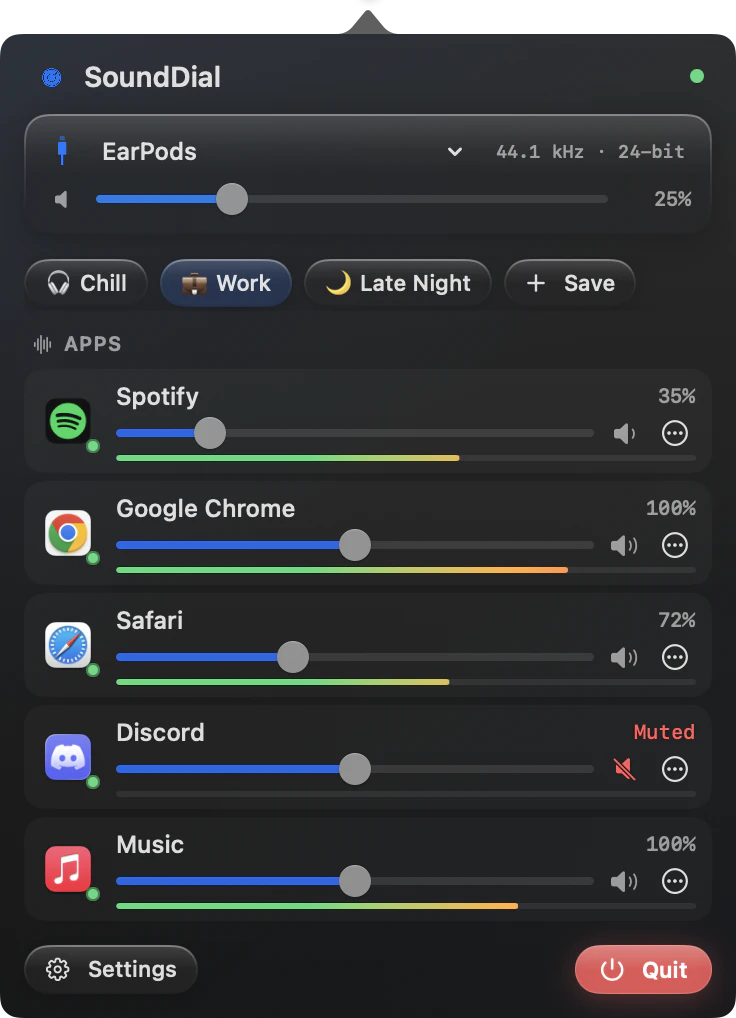
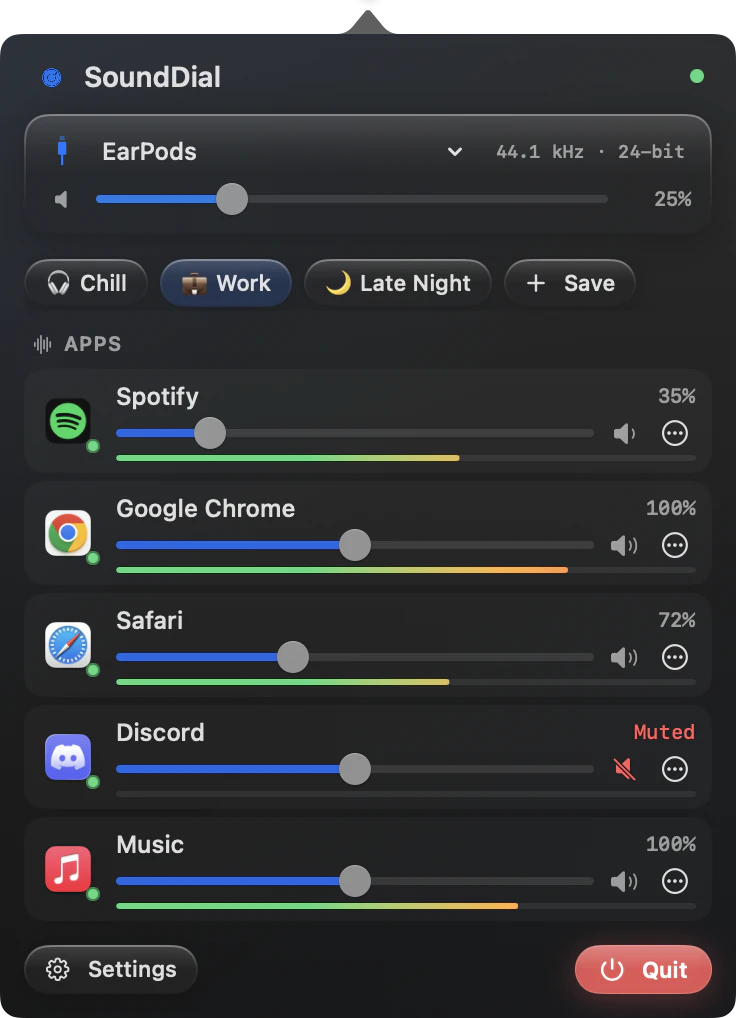
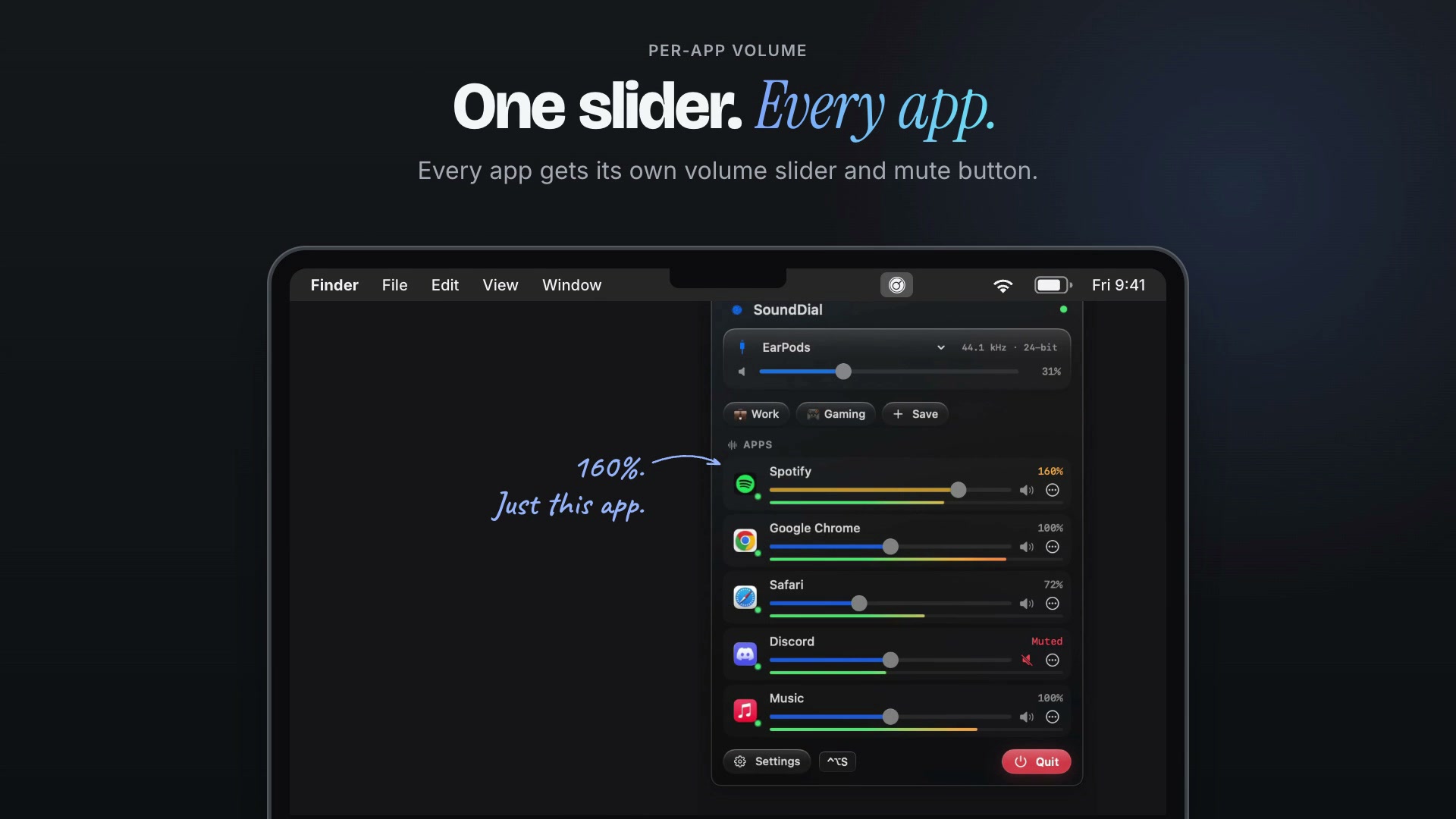
The menu-bar window: output card, profiles and one slider per app.
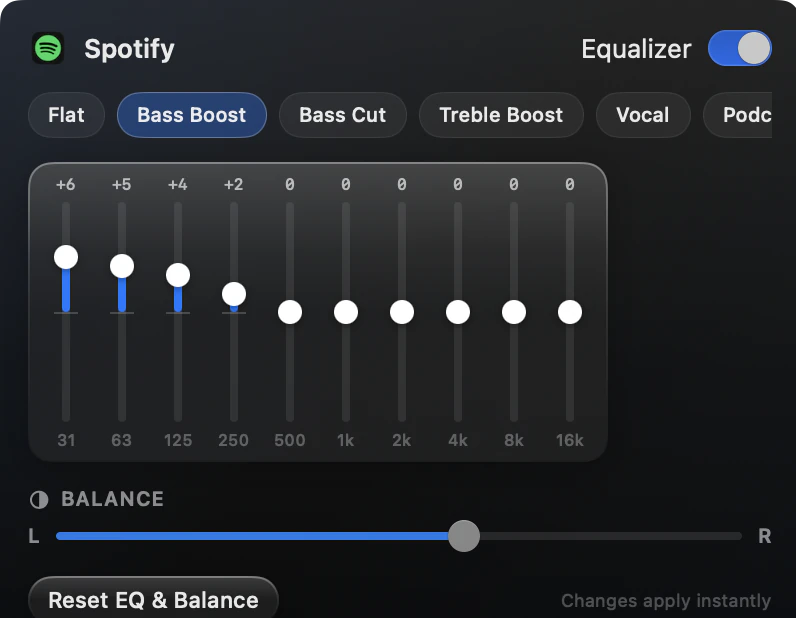
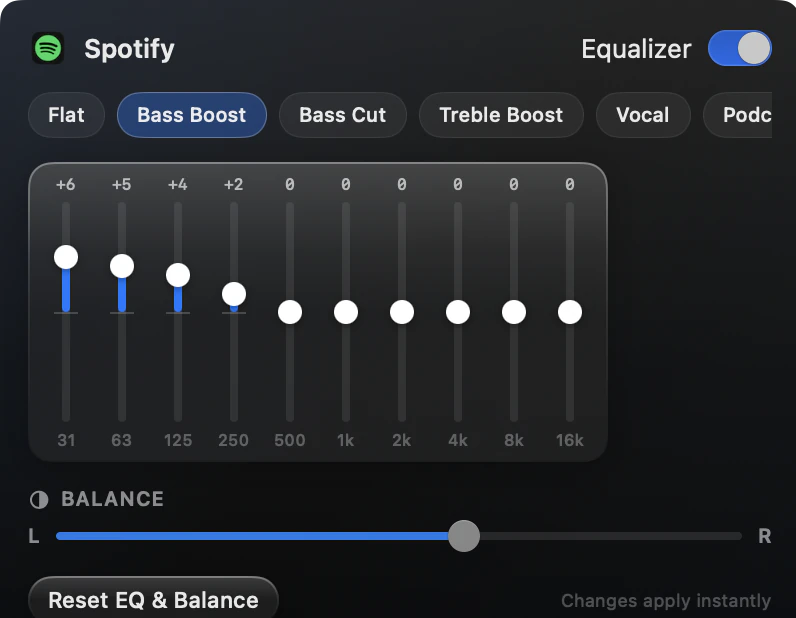
The per-app equalizer: ten bands, presets and left-right balance.
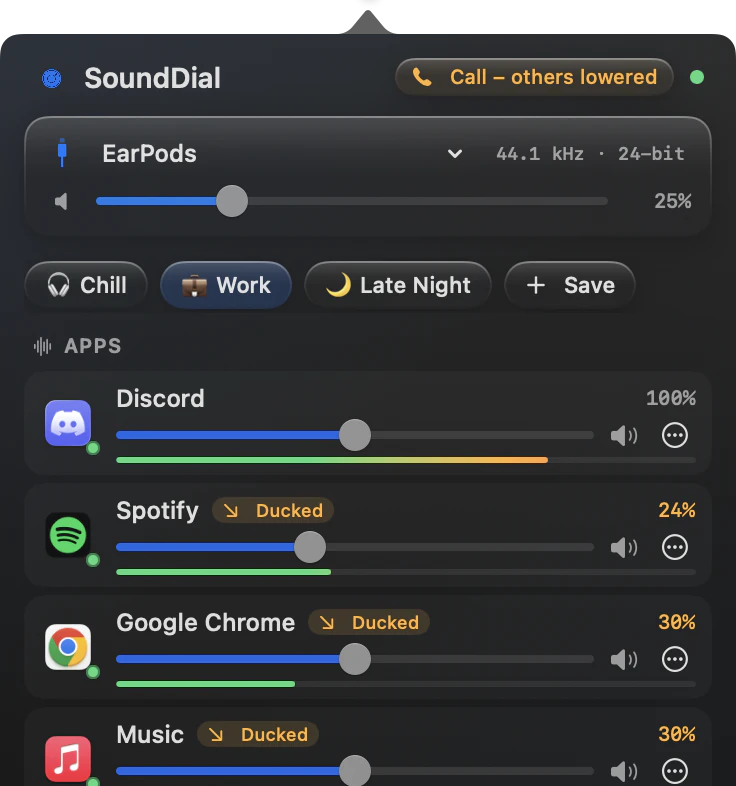
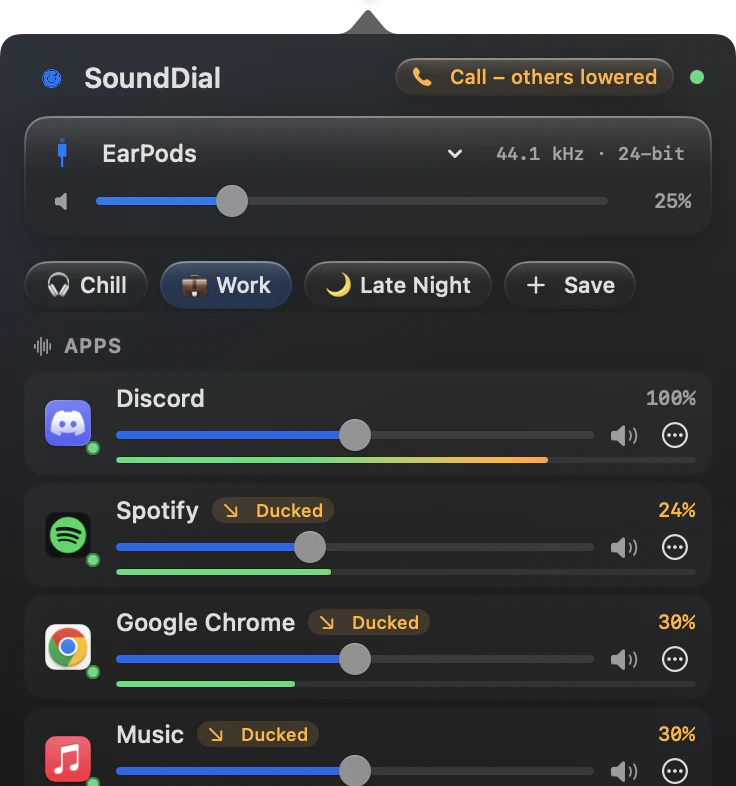
During a call, other apps are lowered and marked Ducked.
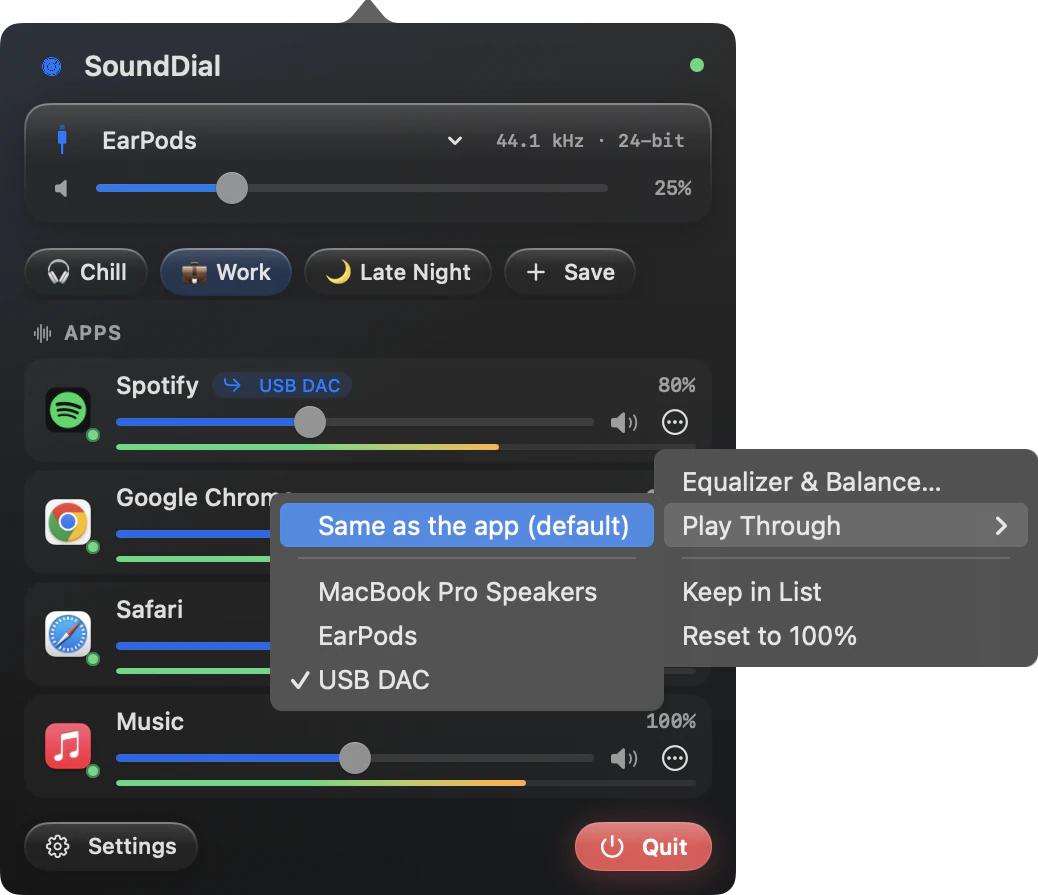
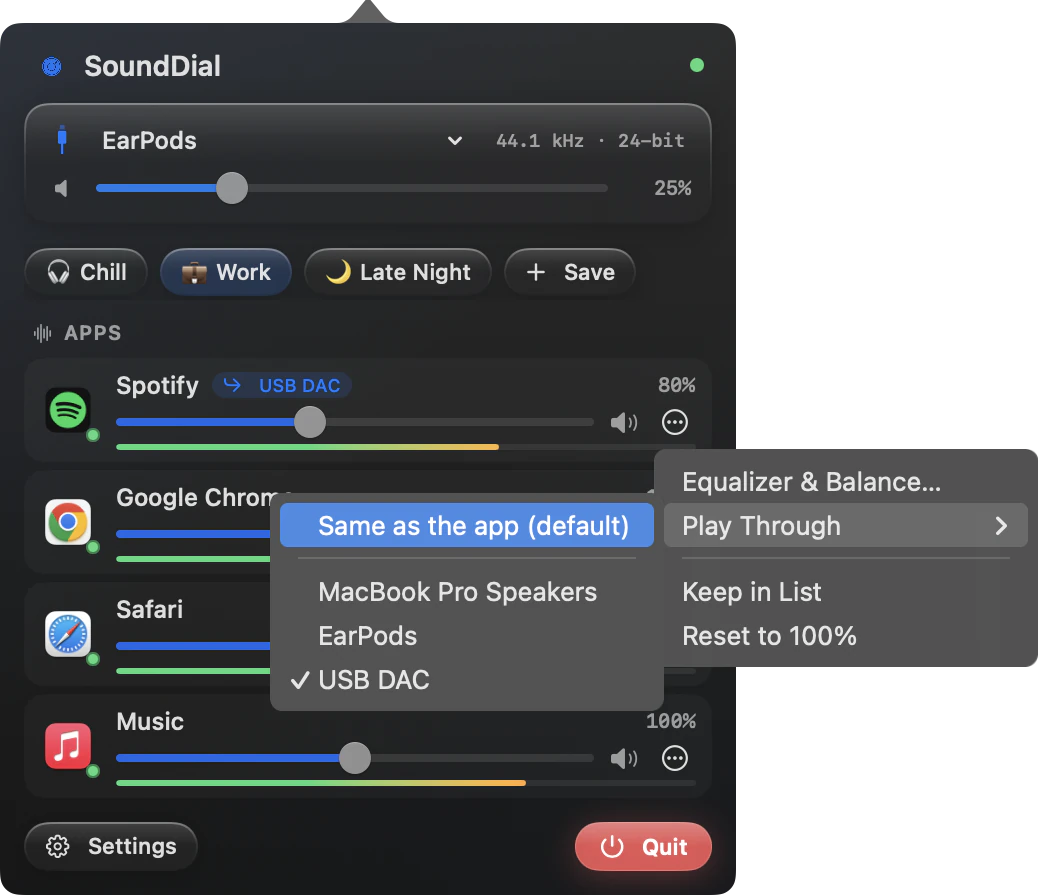
Play Through sends one app to another output device.
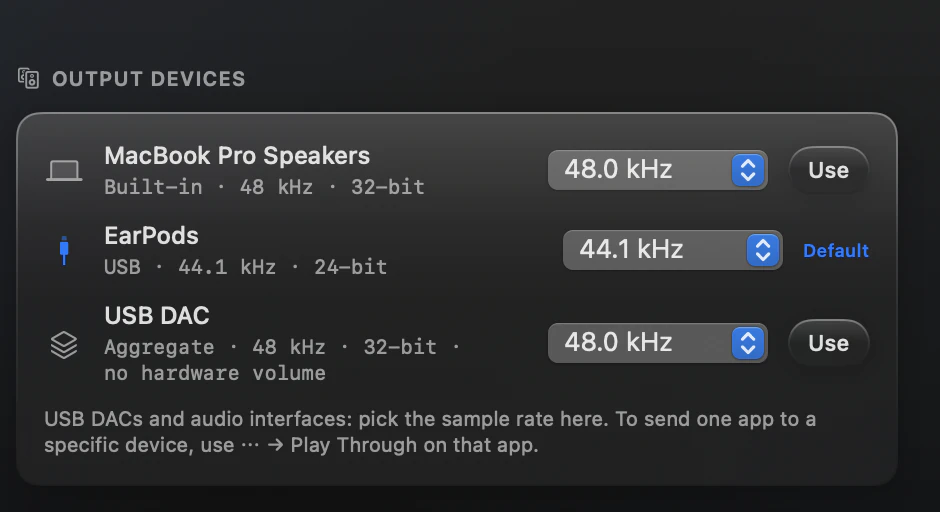
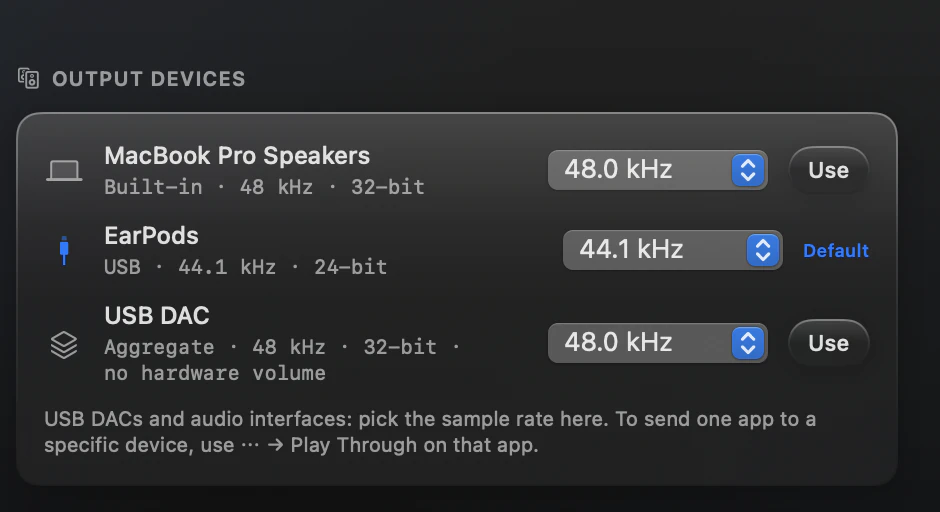
Settings, Output Devices: devices, formats and sample rates.
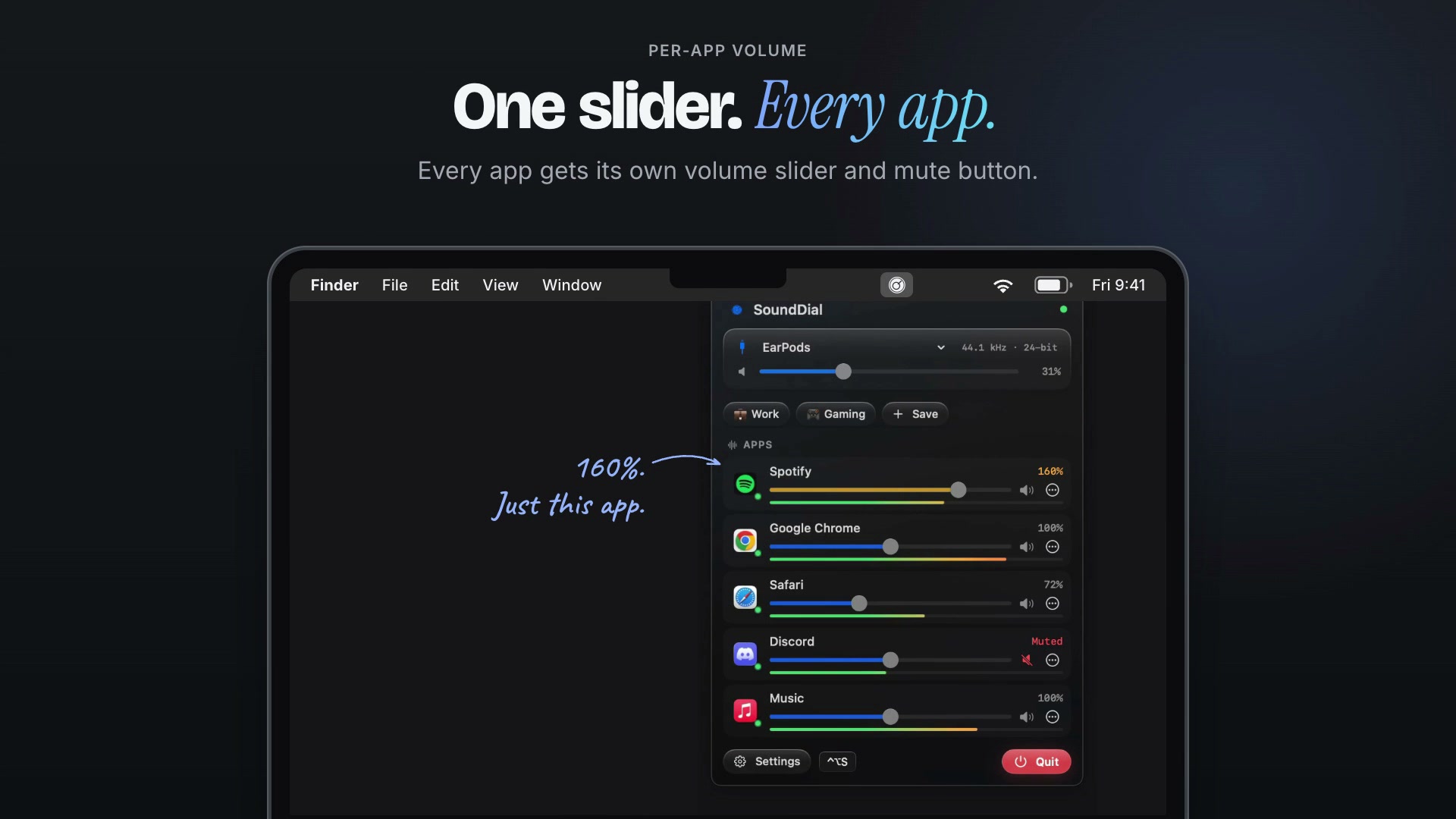
SoundDial 2.0 in 20 seconds. Screen recordings with example settings. It shows per-app sliders with boost and mute, a per-app equalizer, auto-ducking during calls, Play Through to another output, and saving a mix as a profile.
Facts for journalists
What it does
- Sets the volume of each app from 0 to 200%, with a soft limiter above 100%, and mutes single apps.
- Gives each app a 10-band equalizer (31 Hz to 16 kHz, ±12 dB) with 11 presets, and a left-right balance.
- Plays single apps through a different output device with Play Through; several apps can use different devices at once.
- Lowers other playing apps during a call (5% to 80% of their volume, 30% by default) when a call app or a listed browser uses the microphone, and restores them when the call ends.
- Saves the current mix as a volume profile and can remember each app's settings when it opens again.
- Offers global hotkeys, Shortcuts app actions and sounddial:// links.
What it does not do
- SoundDial is stereo only: no surround or multichannel output.
- SoundDial works per app, not per browser tab: all tabs of one browser share one slider.
- SoundDial does not record audio and does not read microphone audio. It does not route sound into other apps: it installs no virtual driver, and Play Through only picks an output device.
- SoundDial has no system-wide EQ; the equalizer is set per app.
How it works
SoundDial is a sandboxed menu-bar app whose only entitlement is audio input: once macOS audio access is on (the guided setup tests it), it applies each app's volume, equalizer and balance itself, with no virtual driver, no account and no network entitlement.
Contact and links
Email support@eduardbruch.com. Legal details are in the imprint.
- SoundDial features: every function in one list
- Uses: one page per job SoundDial does
- Alternatives: how SoundDial compares with other Mac apps
- Privacy: what the app and this website do with data